Save from anywhere
Save the page you are on from the toolbar, or right-click a page, link, image, video, or audio URL to save it without opening it first.
LinkLyst is a bookmark manager for the pages you actually come back to. Save any page, article, video, or link into an ordered, named playlist — then reopen it on the site it came from.
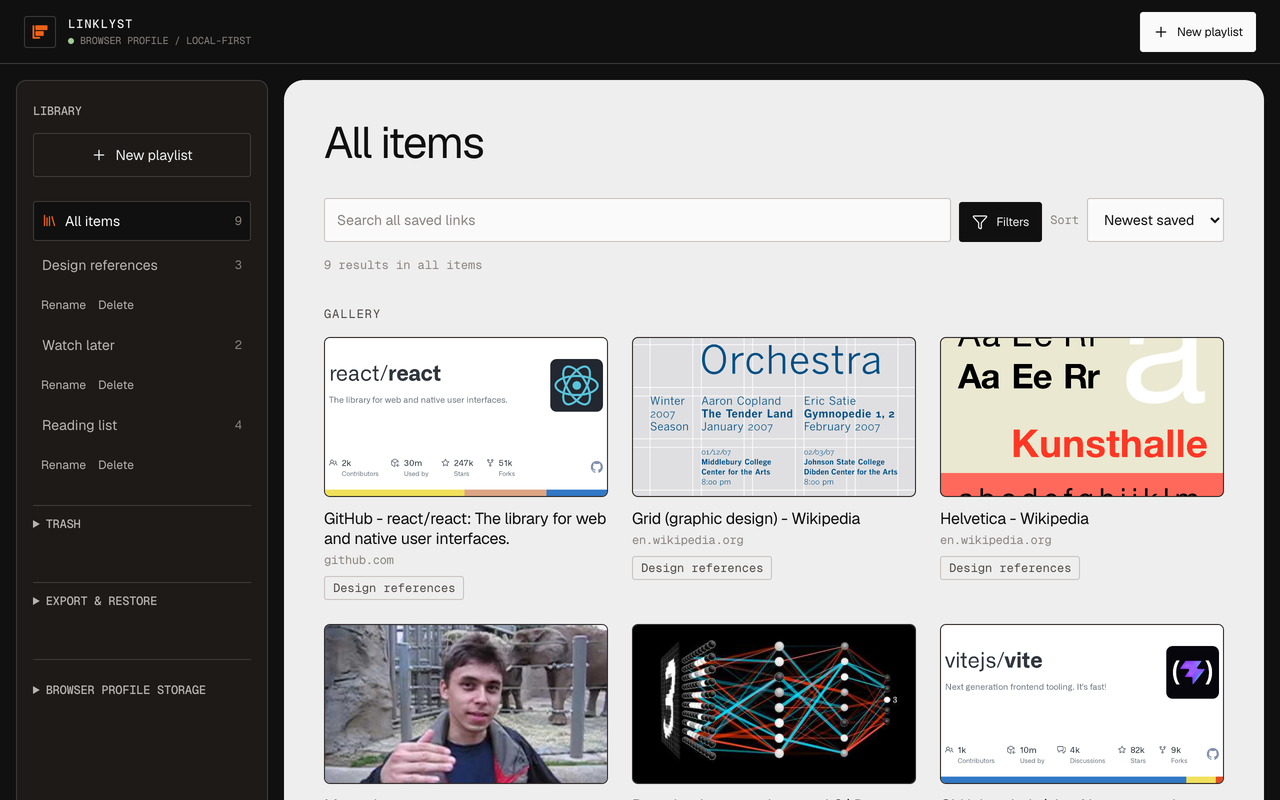
Browser bookmarks go into a folder and are never seen again, because a folder shows you nothing. LinkLyst saves the same links into playlists you can see, search, and reorder by hand.
Save the page you are on from the toolbar, or right-click a page, link, image, video, or audio URL to save it without opening it first.
A link can sit in as many playlists as you like, in the order you choose. Sorting a view never rewrites the order you set by hand.
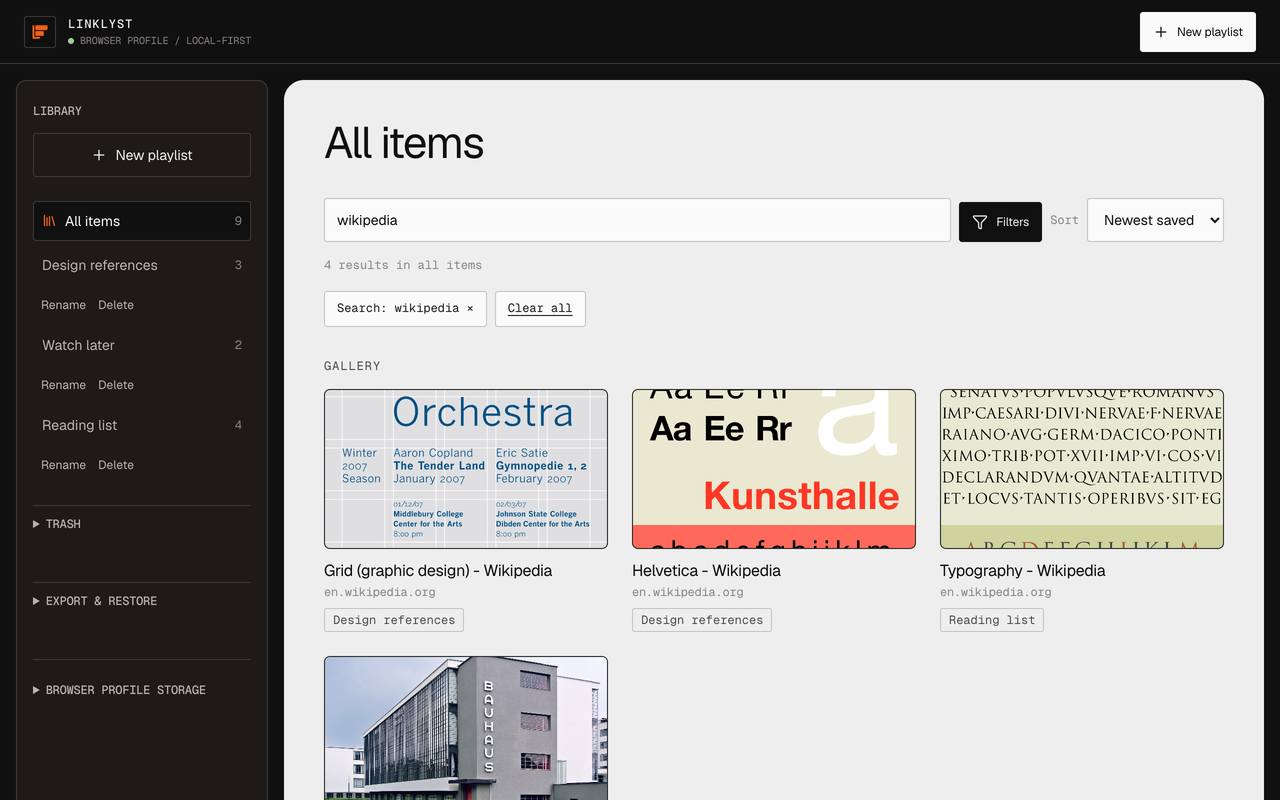
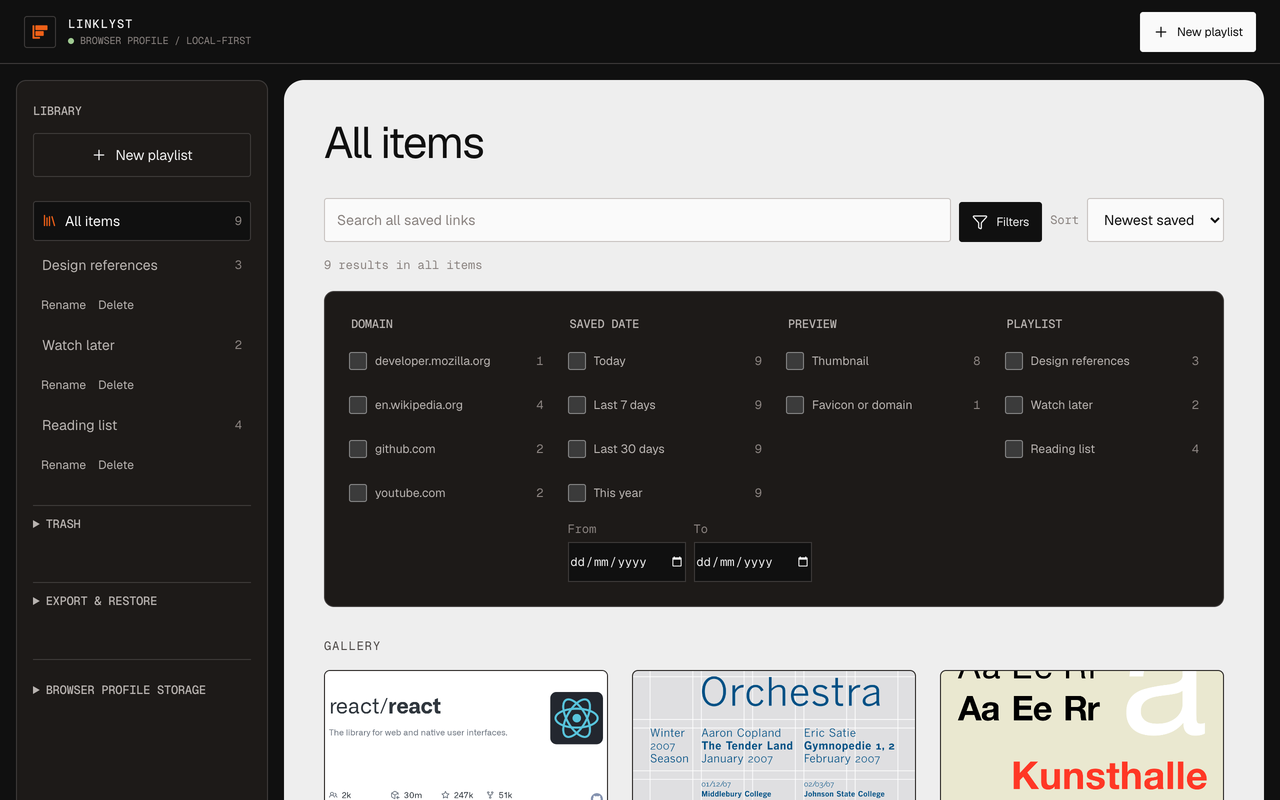
Search by title, domain, or URL across everything or inside one playlist, then narrow by domain, saved date, and preview state.
Removed items and deleted playlists wait in a local Trash for 30 days and come back with their order intact.
Export the library as clean JSON or a browser bookmarks HTML file. Restoring a JSON export merges it in rather than replacing what is there.
Visible focus, 40–44 px targets, dialogs that trap and restore focus, live result counts, and / to search. Holds at 200% zoom.
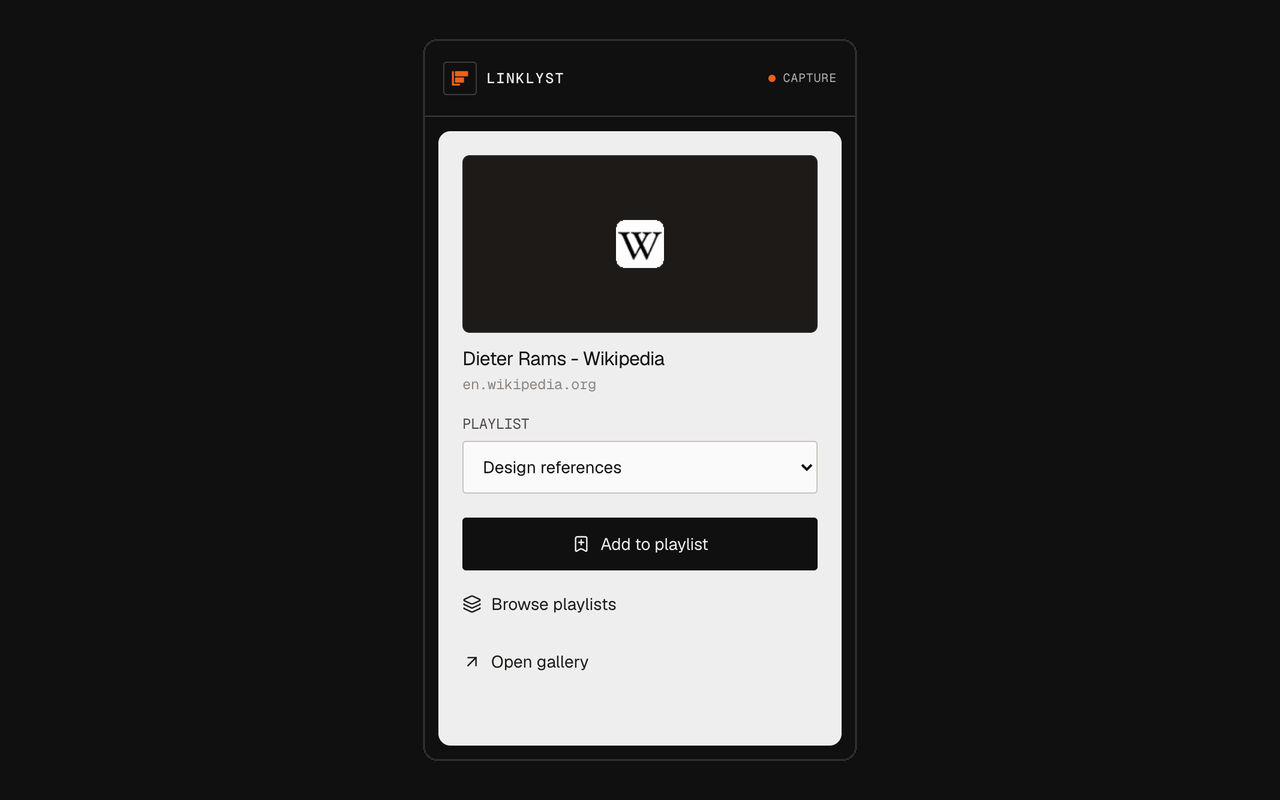
The toolbar popup opens on the page you are on, already carrying its title and preview. Pick a playlist, or make a new one, and it is filed. Right-click instead and you can save a link, image, video, or audio URL without ever opening it.
Search runs across every save at once, or inside a single playlist, matching title, domain, and normalised URL. Facets narrow by domain, saved date, preview state, and playlist — and the filter lives in the gallery URL, so Back and Forward work and a filtered view can be bookmarked.
Articles you do not have time for right now go into one playlist, with the headline and preview image already attached, so choosing what to read next takes a glance rather than a guess.
A YouTube link, a Vimeo link, and a conference talk hosted on somebody's blog can sit in the same playlist. LinkLyst pulls the real title and thumbnail for supported links, and opening one takes you to the site it came from.
One playlist per topic, per project, or per course. Search and domain filters make a playlist of forty sources usable instead of archival.
Save the wall of tabs you are keeping open "for later", close them, and reopen only the ones you need.
Your library lives in your browser's own extension storage, and preview screenshots never leave the device. No analytics, no telemetry, no advertising code — nothing is sent to the developer, because there is nowhere for it to be sent.
By default LinkLyst also keeps a compact, metadata-only copy of your library in your browser's own synced profile storage — Chrome Sync on Chrome, Firefox Sync on Firefox — so it can survive a reinstall or appear in the same browser on another device you are signed in to. That copy holds playlist names, URLs, titles, and order only — never screenshots, never search or filter state, and never anything saved in Incognito or a private window. One checkbox keeps everything local, and the copy can be erased outright. It is all written down in the privacy policy.
LinkLyst saves and reopens; it is not a reader and not a player. It never embeds a third-party page and never plays media inside the extension — opening a saved item takes you to the original site in a new tab. There is no feed, no collaboration, and no AI.
Chrome warns that LinkLyst can read and change data on all websites; Firefox words it as access to your data for all websites. It asks for website access for one reason: to read the title and preview metadata of a URL you asked it to save. A link you right-click is usually not open in any tab, so no narrower permission covers it.
Yes, with playlists instead of folders. A saved link can sit in any number of playlists, in an order you set by hand, and every save carries a preview image, title, and domain so a playlist reads as a gallery rather than a list of blue text.
No. There is no LinkLyst account, no sign-in, and no LinkLyst server. Your library lives in your browser's own extension storage, and preview screenshots never leave the device.
A compact, metadata-only copy — playlist names, URLs, titles, and order — can ride along in your browser's own synced profile storage, which is Chrome Sync on Chrome and Firefox Sync on Firefox, so your library can come back after a reinstall or appear in the same browser on another device you are signed in to. Screenshots and anything saved in Incognito or a private window are never included, and one checkbox keeps everything local.
No. LinkLyst saves and reopens. Opening a saved item takes you to the original site in a new tab; it never embeds a third-party page and never plays media inside the extension.
To read the title and preview metadata of a URL you asked it to save. A link you right-click is usually not open in any tab, so no narrower permission covers it. Those reads are bounded by a six-second timeout, an allowlist of content types, and hard size caps; LinkLyst injects nothing into pages and runs no script in page context.
Chrome, Chromium-based browsers such as Edge, Brave, and Opera, and Firefox. It is a Manifest V3 extension, installed from the Chrome Web Store or from Firefox Add-ons. Firefox for Android is supported too, with one difference: Android has no extension right-click menu, so the toolbar popup is the only way to save there.
Pocket shut down in July 2025. What a replacement should look like when you have been burned once — including what LinkLyst deliberately does not do.
Where your links actually sit when there is no server, how sync works without a third-party login, and what the install warning really means.
One ordered list holding YouTube, Vimeo, and self-hosted video, without a Google account — and why nothing is ever embedded or re-hosted.
Install it, save the tab you already have open, and close the tab. That is the whole loop.