Pocket worked well for a decade, and then it did not exist. That is the part worth learning from. The list was not really yours — it lived on somebody's servers, behind an account, and when the business case changed, the shutdown notice set a date by which you had to go and rescue your own reading history.
LinkLyst is built so that specific failure cannot happen. There is no LinkLyst account, no LinkLyst server, and no sign-up screen, because there is nothing to sign up to. Your saves live in your browser's own local extension storage on your own machine. If this project were abandoned tomorrow, the extension would keep working, and your library would keep sitting where it already is.
What it does that Pocket did
Save an article in two clicks. Click the toolbar icon and the popup is already holding the current page with its real title and preview image attached. Pick a list, or type a new name, and it is filed.
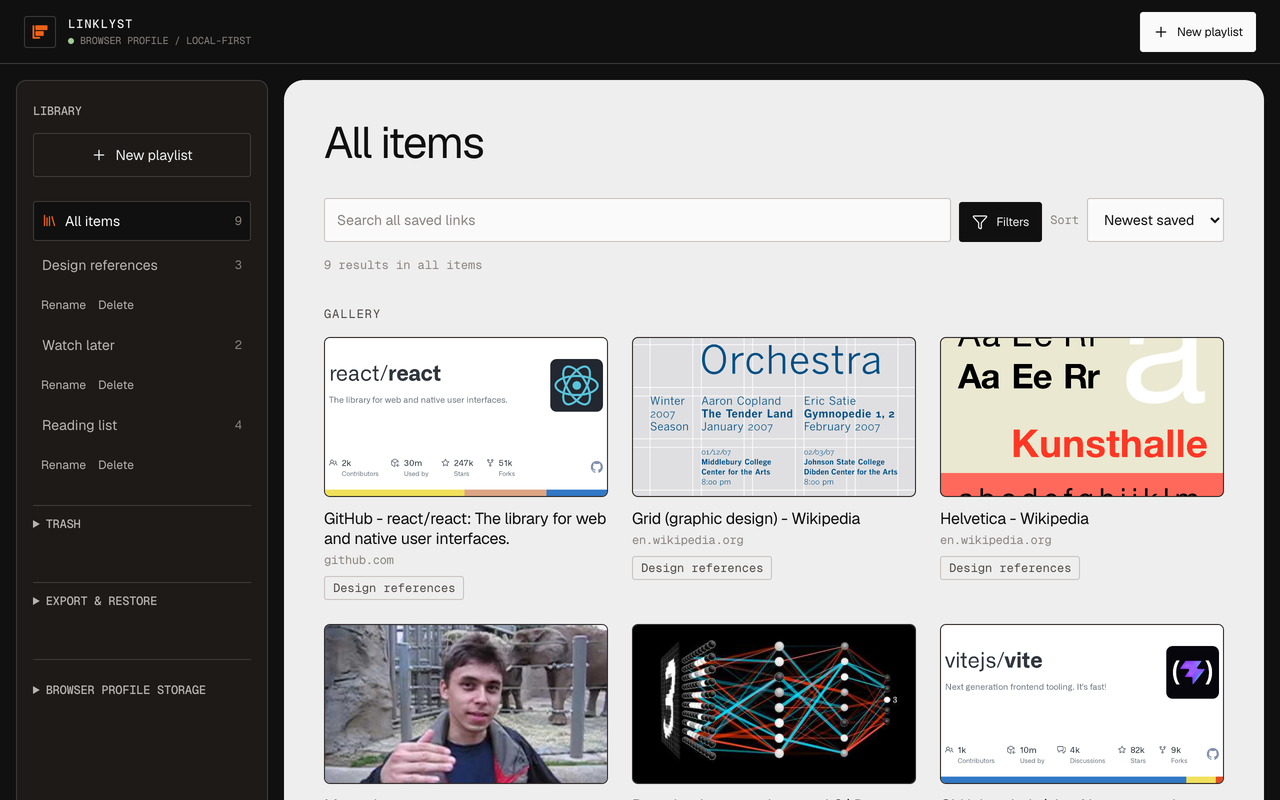
Keep a queue you can actually see. This is where a playlist beats a flat list. Saves go into named, ordered playlists — Read on the flight, Long reads, For the redesign — each with preview images, so choosing what to read next takes a glance rather than a guess.
Find something from six months ago. Search matches title, domain, and normalised URL across the whole library or inside one playlist, then narrows by domain, saved date, and preview state.
Leave whenever you want. Export the library as clean JSON or as the standard browser-bookmarks HTML file every major browser imports. This is the part Pocket taught everyone to check first.
What it does not do that Pocket did
Worth knowing before you install rather than ten minutes after.
There is no importer for your old Pocket export. LinkLyst restores only its own JSON format, so a Pocket CSV cannot be loaded in. Mozilla's export window closed on 8 October 2025 in any case. LinkLyst is where you save from here on — it will not rebuild an archive you already lost.
No offline copies, and no reader view. Pocket stripped an article down and stored the text so you could read it on a plane. LinkLyst saves the link, the title, and a preview image, then opens the item on the original site in a new tab. It never embeds or re-hosts anybody's page. That is a deliberate choice — the publisher gets their pageview — but if offline article text is the feature you actually need, LinkLyst is the wrong tool and you should look at an archiving reader instead.
No phone or tablet app. LinkLyst is a browser extension, and the interface is built for a desktop window. It installs in Firefox for Android, but Android has no extension right-click menu, so the toolbar popup is the only way to save there. There is no iOS build — iOS Safari does not take extensions of this kind.
No recommendations, no discovery feed, no newsletter. It stores what you put in it.
Where your saves actually sit
Local storage is authoritative. A save is never rolled back because something in the cloud was slow — there is no cloud to be slow.
If you want the same playlists on a second machine, LinkLyst can keep a compact, metadata-only copy in your browser's own profile-sync namespace — Chrome Sync on Chrome, Firefox Sync on Firefox — the same mechanism it already uses for your bookmarks. That copy carries titles, URLs, and playlist structure, and deliberately leaves out preview screenshots, your search state, and anything saved in incognito or a private window. A Local only toggle switches it off entirely, and you can erase the synced copy on demand.
The only network requests are made at save time, to the site you are saving, to fetch a title and preview image. No analytics, no telemetry, no third-party favicon proxy, no remote fonts. The full disclosure is on the privacy section of the home page and in the privacy policy.
Is it really free
Yes, and there is no upgrade tier, because there is no running cost to cover. No server means no subscription to fund, which is the same design decision as everything above rather than an introductory offer.
Start a list that cannot be discontinued
Free, no account, no telemetry. Install it and file the next three things you would otherwise have lost in a bookmark folder.
Chrome, Firefox & Chromium · Manifest V3