Open your bookmark manager right now and scroll to the bottom. Somewhere down there is a folder called "Read later" or "Misc" or just "Bookmarks bar", and it holds dozens of links you have not opened once since the day you saved them.
That is not a discipline problem. It is an interface problem.
A bookmark folder shows you a column of blue text. No thumbnail. No sense of which site a link came from until you squint at the URL. No trace of why it seemed worth keeping eight months ago. So saving stops being an act of intent and becomes a way to close a tab without feeling guilty — and the folder quietly turns into a landfill.
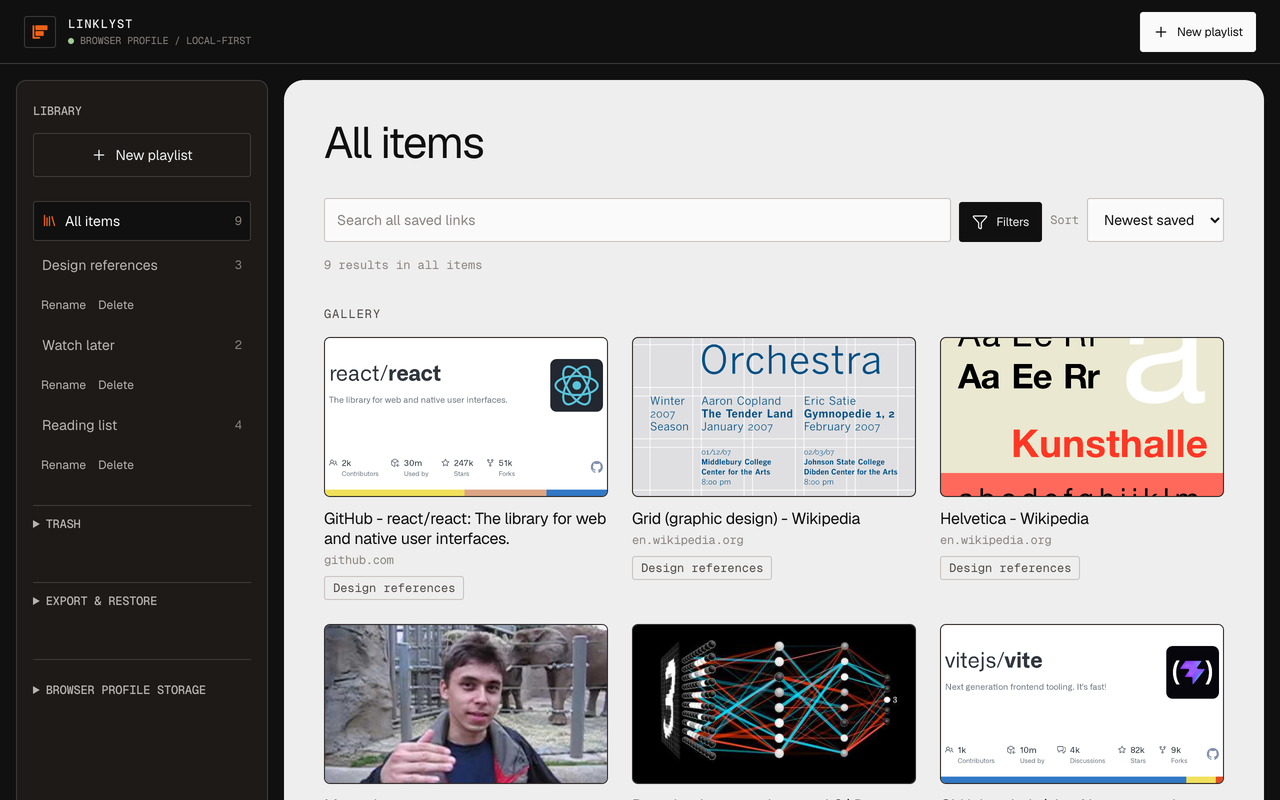
Meanwhile, one corner of the internet solved this completely, years ago: the playlist. You can see what is in it. You can drag things into the order you want. Its name tells you what it is for. Nobody has ever lost a video in a playlist.
LinkLyst applies that idea to the rest of the web.
What it does
Install it and the toolbar button becomes a save button.
Save the tab you are on. Click the icon and the popup is already holding the current page, with its real title and preview image attached. Pick a playlist, or type a new name, and it is filed. Two clicks.
Save without opening anything. Right-click a link, image, video, or audio URL and file it straight from the context menu. You never have to load a page just to bookmark it.
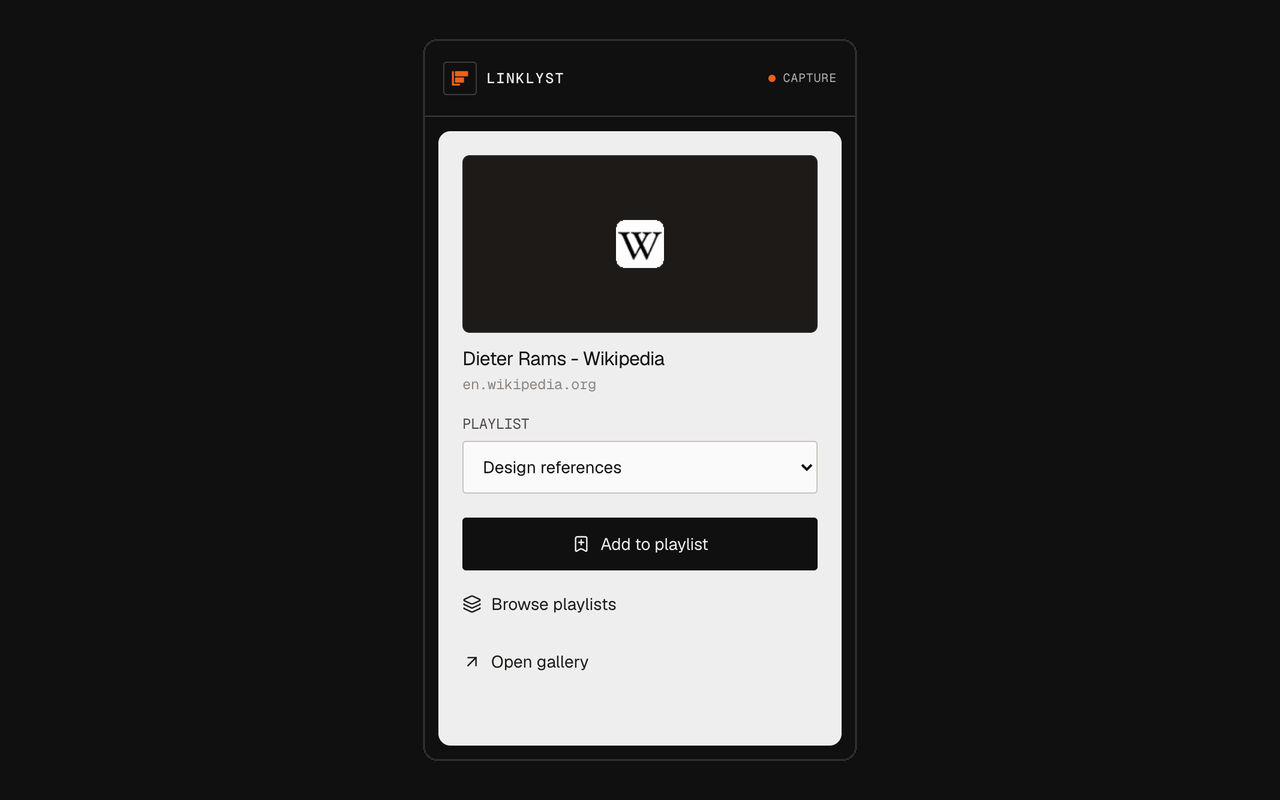
Put one link in several playlists. A conference talk can sit in Watch this weekend and in Talks worth stealing from at the same time. You order each playlist by hand, and sorting a view by date or title never rewrites the order you set.
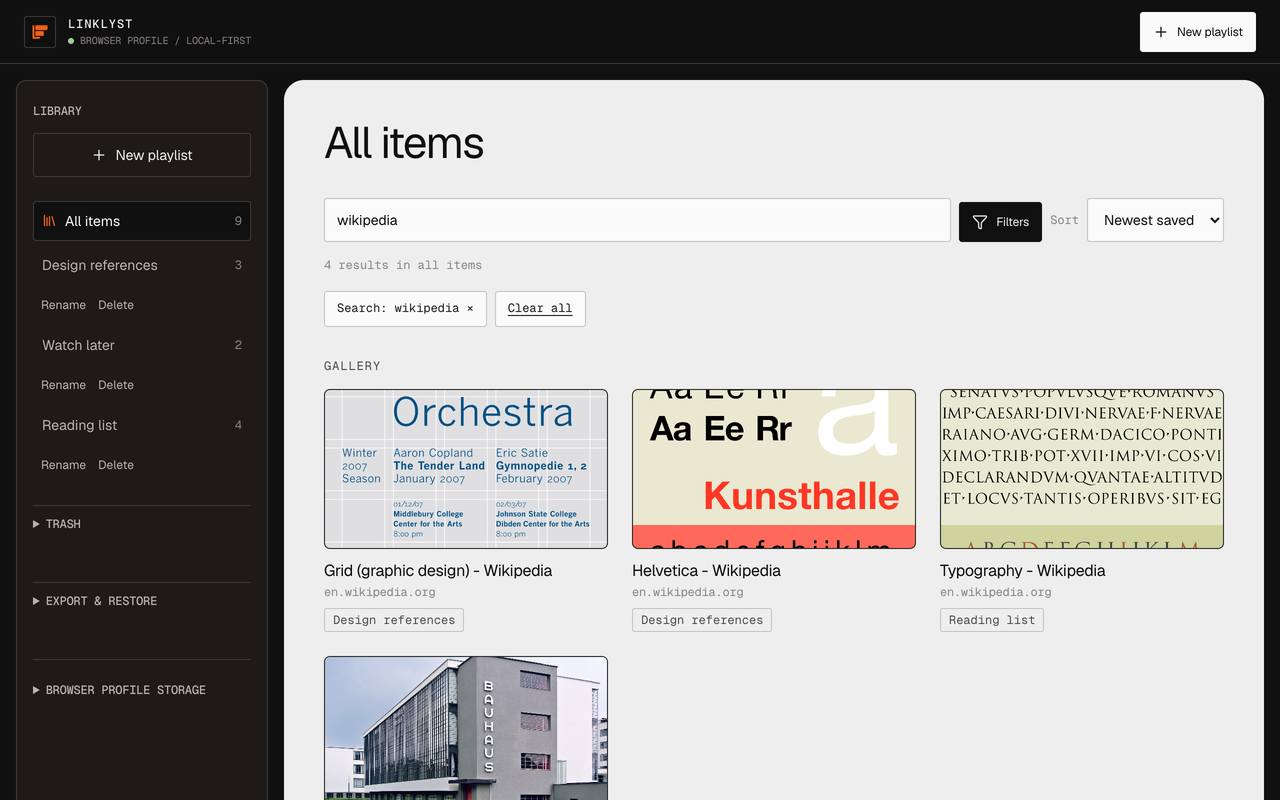
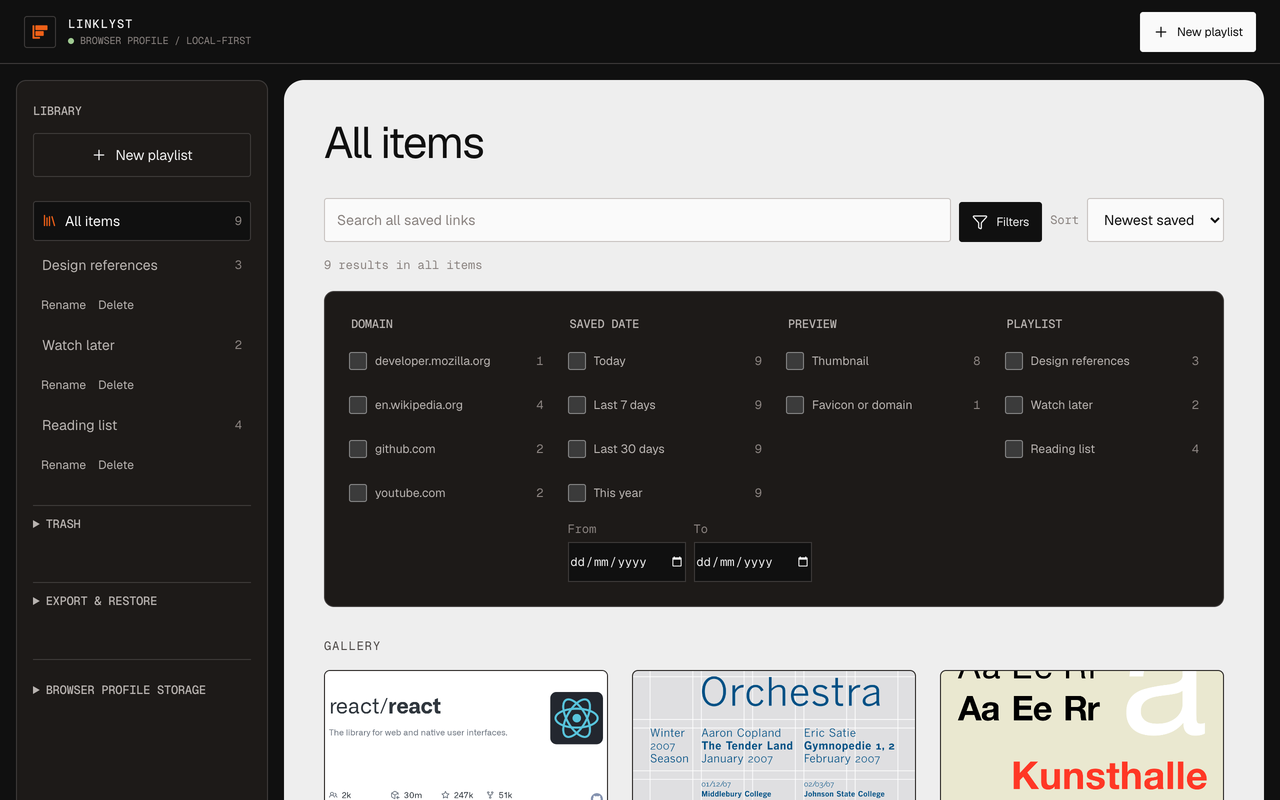
Find it again in a month. Search matches title, domain, and normalised URL — across everything at once, or inside a single playlist. Then narrow by domain, by when you saved it, by whether it has a preview. Press / to search, Ctrl/Cmd+K to search everything, Esc to clear. The filter lives in the gallery URL, so Back and Forward behave, and a filtered view can itself be bookmarked.
Undo, for a month. Delete a playlist by accident and it waits in a local Trash for 30 days, then comes back with its order intact.
Leave whenever you like. Export the whole library as clean JSON, or as the standard browser-bookmarks HTML file that every major browser imports. Restoring a JSON export merges into what you have — it does not overwrite it.
And one thing it deliberately does not do: LinkLyst never plays or embeds anything. Click a saved item and it opens on the site it came from, in a new tab. No iframe wrapper, no scraped reader view, no interstitial of my own in between. The creator gets their pageview. For a tool that lives off other people's pages, that seems like the only defensible way to behave.
The part I care about more: it does not phone home
There is no LinkLyst account. There is no LinkLyst server. There is no sign-up screen, because there is nothing to sign up to.
Your library lives in your browser's own local extension storage, on your machine, and that copy is the authoritative one. A save is never rolled back because something in the cloud was slow or unavailable — there is no cloud to be unavailable.
If you want your playlists on your other machines, LinkLyst can keep a compact, metadata-only copy in your browser's own profile-sync namespace — Chrome Sync on Chrome, Firefox Sync on Firefox — the same mechanism your browser already uses for your bookmarks and passwords. That copy carries titles, URLs, and playlist structure. It deliberately leaves out screenshots, your search and filter state, and anything saved in incognito or a private window. You can switch it off entirely with a Local only toggle, and you can erase the synced copy on demand — an erase that stays visibly pending until the browser confirms it finished, rather than flashing a checkmark the instant you click.
The extension makes three kinds of third-party request, all of them at save time, and all of them to the site you are saving:
- oEmbed JSON, for a real title and thumbnail on YouTube and Vimeo links. That provider sees the URL you saved.
- OpenGraph HTML, for the title and preview of an ordinary page. That page's own origin sees a request.
- The preview image itself, when a tile is drawn. The image host sees a normal image request.
That is the entire list. No analytics. No telemetry. No Google favicon proxy — a site with no favicon gets a placeholder generated locally from its domain name, so a missing icon never turns into a request to a third party. No remote web fonts.
Those metadata fetches are hard-bounded rather than trusted: a six-second whole-response timeout, an allowlist of accepted content types, a 512 KiB ceiling on HTML, 128 KiB on JSON. Direct image, audio, and video URLs are never fetched as HTML. If enrichment fails for any reason, the item still saves, titled with its domain. Nothing is injected into the page you are reading, and no script of mine runs in page context.
Your browser will still warn you at install that the extension can read and change data on websites — Chrome words it that way, Firefox as access to your data for all websites. That warning is about the HTTP/HTTPS host permission, and the permission exists for exactly one feature: fetching the title of a link you right-clicked but never opened. That is the honest cost of it. I would rather explain the warning than drop the feature and pretend the tradeoff was never there.
What it is not
Better you hear this now than discover it in ten minutes.
- No Safari build. Chrome, Chromium-based browsers, and Firefox are covered; Safari uses a different extension format and is not packaged today.
- No reader mode, no tags, no notes, no highlights. It files links. It does not annotate them.
- No sharing, no collaboration, no feed. A playlist is yours and stays on your machine.
- Profile sync is a convenience replica, not a backup. For a large library, JSON export is the real portability path. And neither Chrome nor Firefox offers proof that a synced copy reached your other laptop — only that it accepted the write.
- Login-gated sites — Instagram, and most of that category — will hand you a favicon and a domain placeholder instead of a preview. Getting past that would mean building an extension that logs into things on your behalf, which I am not going to do.
Try it
Install it, then file the next three things you would otherwise have dumped into "Bookmarks bar". Name the playlist after what you intend to do with them rather than what they are — Read on the flight, not Articles. That one habit is most of the value; the extension is just what makes the habit stick.
No account · No telemetry · Chrome, Firefox & ChromiumIf something breaks, or if the thing you want is sitting on my "what it is not" list and you think it should not be, tell me.